Requesting Medical Records
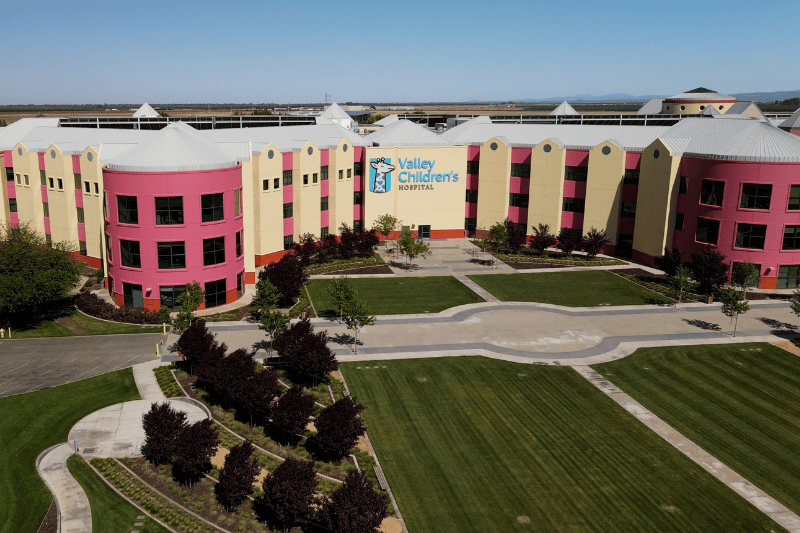
Valley Children’s promotes a philosophy of transparency and openness as well as timely, convenient and responsible sharing of health information. We believe that enabling our patients and their patient representatives to access, obtain, understand and engage their medical information improves overall patient well-being, safety and satisfaction.
We encourage patients and their representatives to take advantage of the Valley Children’s MyChart Patient Portal for electronic, immediate and ongoing access to their own/child’s medical record information. Signing up for the MyChart patient portal not only gives you access to important records like After Visit Summaries, medications, immunizations and appointment information, there are other important features including the ability to request records that may not be in the portal or request records to be sent to personal applications on smartphones or other means.

Are you a current patient?
MyChart makes it simple to manage your family’s health records in one convenient location. With a MyChart account, you can view visit notes, test and lab results, and easily download your child’s immunization records.
Download the MyChart app on Play Store and App Store
Request Records or Authorize Medical Records Release
Valley Children’s offers a convenient, secure online way to submit and manage medical record requests.
- Submit requests online
- Upload required legal documents
- Download completed record requests
Patients and families with MyChart should request records through MyChart. If you do not have a MyChart account, or if you are an attorney, insurance company, school nurse or other authorized requester, you may use the Requester Portal.
Please choose the option that best describes you to get started.
Use MyChart - Fastest Option
If you have a MyChart account, please use MyChart to request medical records. You can access, download or securely share your records directly.
- Navigate to the Sharing Hub within MyChart
- Request records or send records to another organization
Don’t have a MyChart account?
Submit a Request Online
If you do not have a MyChart account or prefer not to use MyChart, you may submit your request through the Requester Portal. You may be asked to provide patient information and upload required documentation so our Health Information Management team can process your request.
Request records through the Requester Portal
Other Ways to Request
You may also request records by completing a Request/Authorization for Protected Health Information (PHI) form and submitting it via mail, fax, email or in person.
Print and complete the request authorization form, then send it to the Release of Information Office:
School nurses and educational institutions can request medical records by:
Submit a Request Online – Most Convenient
Submit requests, upload documentation and download records through the Requester Portal. After you finish the form, your request will be sent to our team instantly, with most processed within 7-10 business days.
Please Note: Requests for action plans, restrictions, medication orders and school orders are handled directly by the clinics and should not be submitted through Valley Children's Requester Portal.
Request records through the Requester Portal
Other Ways to Request
You may also submit your request using the contact details below for mail, fax or email.
Use EpicCare Link – Fastest Option
Valley Children’s uses the Epic Electronic Health Record (EHR) system. If you have an EpicCare Link account, we strongly encourage you to use it to access patient information and records. If your organization uses a different EHR, you can establish an EpicCare Link account for timely, secure access to patient records.
Submit a Request Online
If you are unable to use EpicCare Link, you may also submit your request through the Requester Portal. This online portal allows you to request records, upload documentation and download records. Most requests are processed within 7-10 business days.
This submission method is only for medical records, billing and imaging requests. Please submit a separate request for each type. This method excludes all other record types including, but not limited to, employee records, human resource (HR) records, requests for form completion or other non-medical documentation.
We do not accept witness checks.
Submit a Request Online – Most Convenient
Submit requests, download medical records and manage your request any time through our online portal. You may be asked to provide documentation confirming your legal authority. After you finish the form, your request will be sent to our team instantly, with most processed within 7-10 business days.
Request records through the Requester Portal
Other Ways to Request
You may also submit your request using the contact details below for mail, fax or email.
Submit a Request Online
The following options are available to request copies of imaging studies performed through Valley Children’s:
Healthcare Provider Requests (Continuity of Care)
Imaging records can be securely transferred directly to another healthcare provider or facility for continuity of care requests at no cost to the patient.
Personal Copies of Imaging Records
Patients and their parents or legal guardians may also request personal copies of imaging records on CD for pickup from the Imaging department or delivery by mail. Fees may apply to cover materials and shipping.
Request records through the Requester Portal
Need Assistance?
The Imaging File Room is open 24/7, including holidays.
Phone: 559-353-5913 or 559-353-5918
Email: imagingrecords@valleychildrens.org
Processing Time: Most requests are processed within 7–10 business days.
Cost: Before you submit a request for health records, review our fee schedule to learn about fees associated with HIM requests. You will be notified ahead of time if there is a fee associated with your request.
Need Help?
If you have questions about requesting medical records, please contact the Health Information Management Office:
- Phone: 559-353-5404
- Email: releaseofinformation@valleychildrens.org
Mail, Fax or Email Requests
Mail:
Valley Children’s Healthcare
c/o Health Information Management Office, Mail Stop FE06
9300 Valley Children’s Place
Madera, CA 93636
Fax: 559-353-5418
Email: releaseofinformation@valleychildrens.org
Note: We are unable to process unsigned or incomplete requests.